 DMSS Docs
Configuring DDNS
Configure DDNS (Dynamic Domain Name System) parameters to bind the domain of the DNS server to the Extranet IP of the device to directly access the device.
Configure DDNS (Dynamic Domain Name System) parameters to bind the domain of the DNS server to the Extranet IP of the device to directly access the device.
Prerequisites
-
Make sure that the device supports the server that can achieve domain name resolution.
-
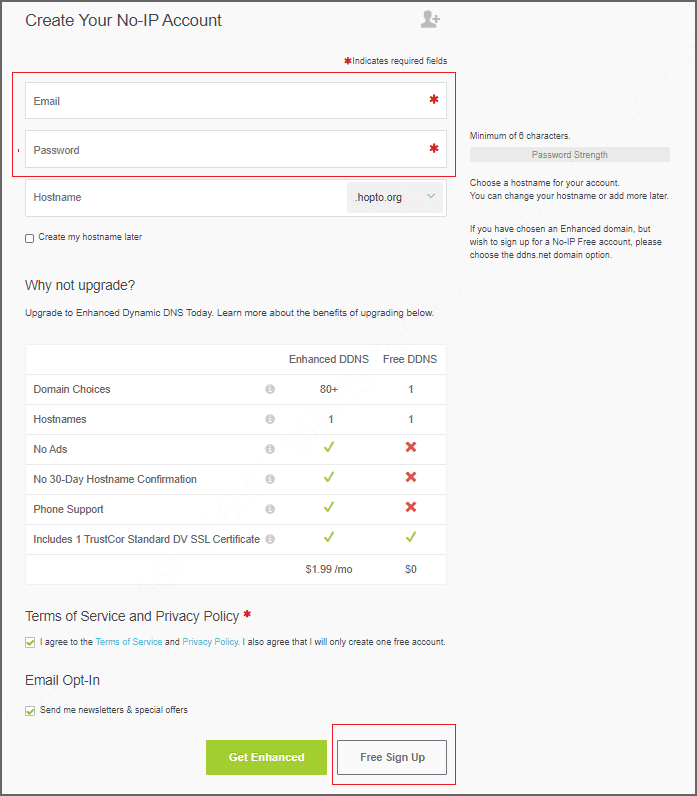
Make sure you have the account registered by third-party DDNS. Here uses NO-IP registration as an example: Go to the website to fill in information for registration.
- Signing up address: https://www.noip.com/sign-up
- Getting started guide: https://www.noip.com/support/knowledgebase/getting-started-with-no-ip-com/
Figure 1 Free sign up
After enabling DDNS, the third-party server might collect your device information.
Procedure
-
After adding devices, go to the Add Device screen, and then click Third-Party DDNS.
-
Tap Type, and then configure parameters as required.
-
Tap Save.
Figure 2 DDNS parameters
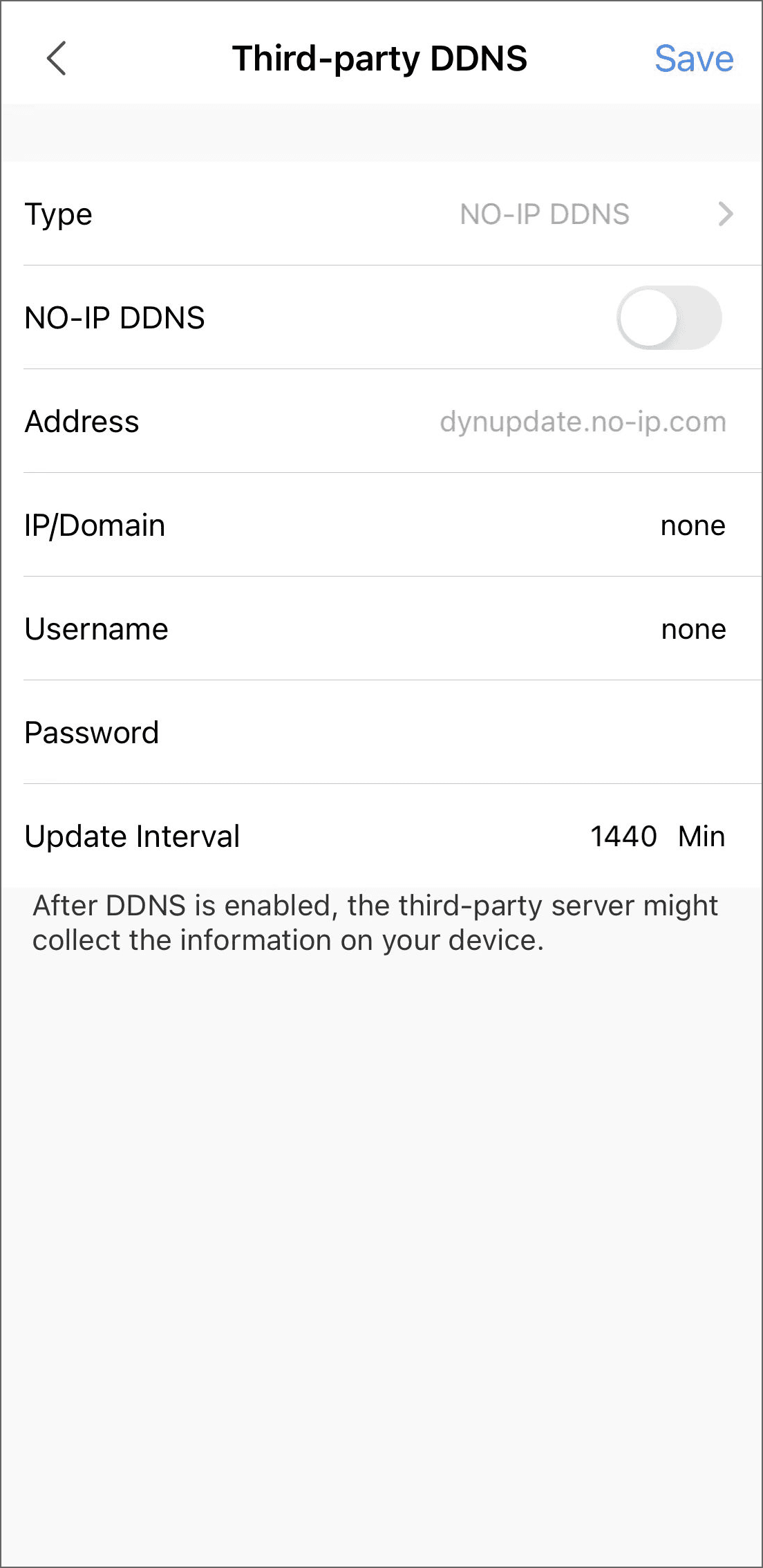
Table 1 DDNS parameter description
Parameter Description Type The name and address of the DDNS server supplier, with the following connection: - CN99 DDNS: The server address is www.3322.org.
- NO-IP DDNS: The server address is dynupdate.no-ip.com.
- Dyndns DDNS: The server address is members.dyndns.org.
Address IP/Domain IP/Domain Enter the domain registered on the DDNS server supplier. Username Enter the username and password from the DDNS server supplier. You need to register first at the website (including username and password). Password Enter the password from the DDNS server supplier. Update interval The interval of connection update between the device and the server.
Related Topics
Arm/Disarm Period
You can configure specific time periods during which alarms can be triggered on your device for remote management.
Configuring UPnP
Establish mapping between Intranet and Extranet through UPnP (Universal Plug and Play) protocol to improve the transmission speed to quickly display live videos.