 DMSS Dokumentace
Intercom Service
Enable and configure the intercom service for alarm hub devices.
You can enable and configure the intercom service. After completing the configuration, you can talk with the devices that supports intercom service when an alarm is triggered.
To use intercom service, you must enable the intercom service on the corresponding device end.
Procedure
-
Tap an alarm hub, and then tap Settings.
-
Tap Hub Setting > Intercom Service.
-
Tap
 to enable the function.
 -
Select the intercom time. Select 10 minutes by default.
Intercom time limit refers to the duration starting from the moment an alarm is triggered. Within the configured intercom time limit, it is possible to initiate intercom with the device for that particular alarm. However, if the configured time limit is exceeded, intercom will not be supported.
-
Select the intercom mode, and then configure the parameters.
-
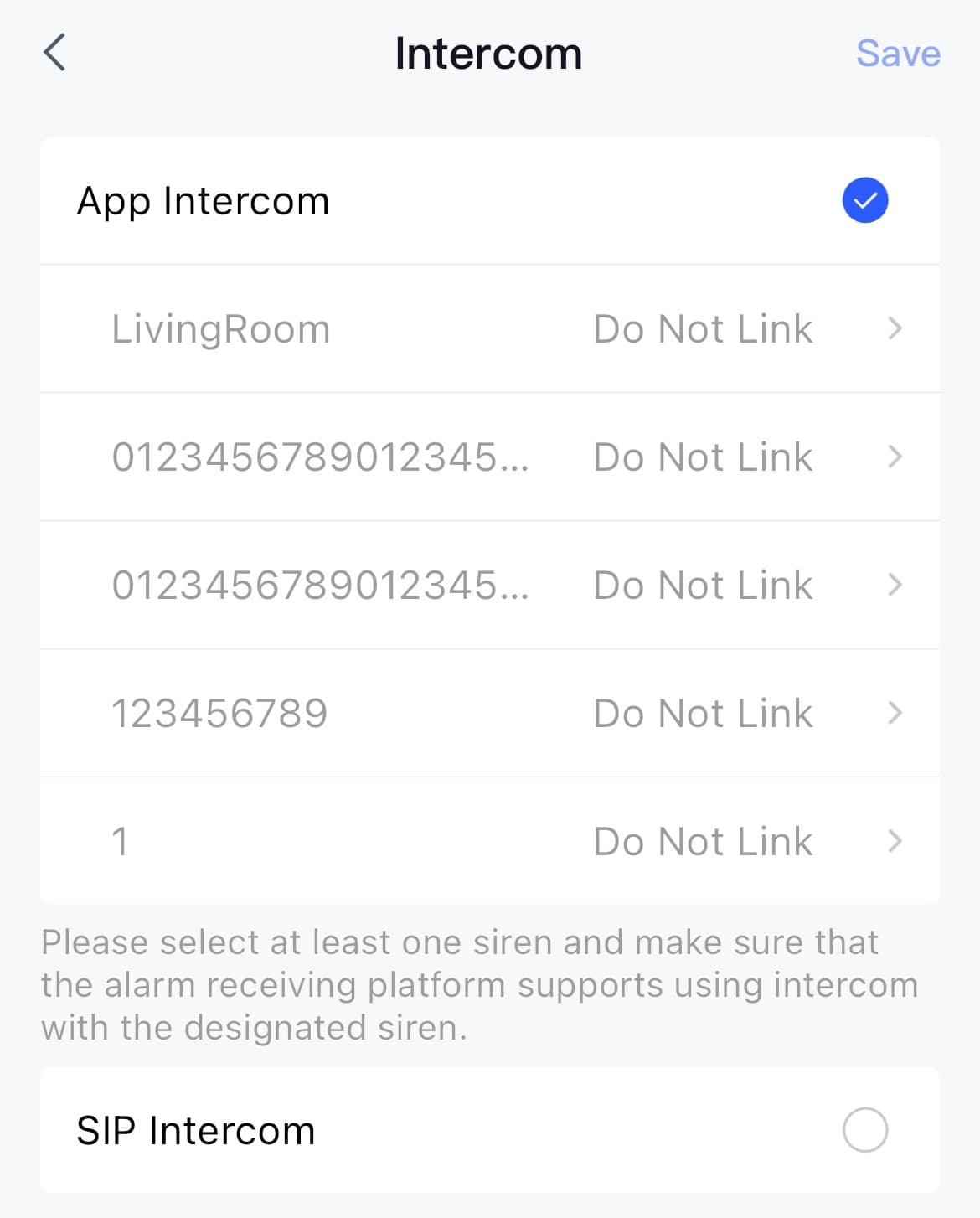
Select App Intercom: You can use the DoLynk Care App or DMSS App on your mobile phone to engage in intercom with peripheral devices that support intercom service. Select the device linking to the room, and then click OK.
Figure 1 Configure the App intercom service
-
Select SIP Intercom: Conduct the intercom with peripheral devices that support intercom service on third-party platforms.
Figure 2 Configure SIP intercom service
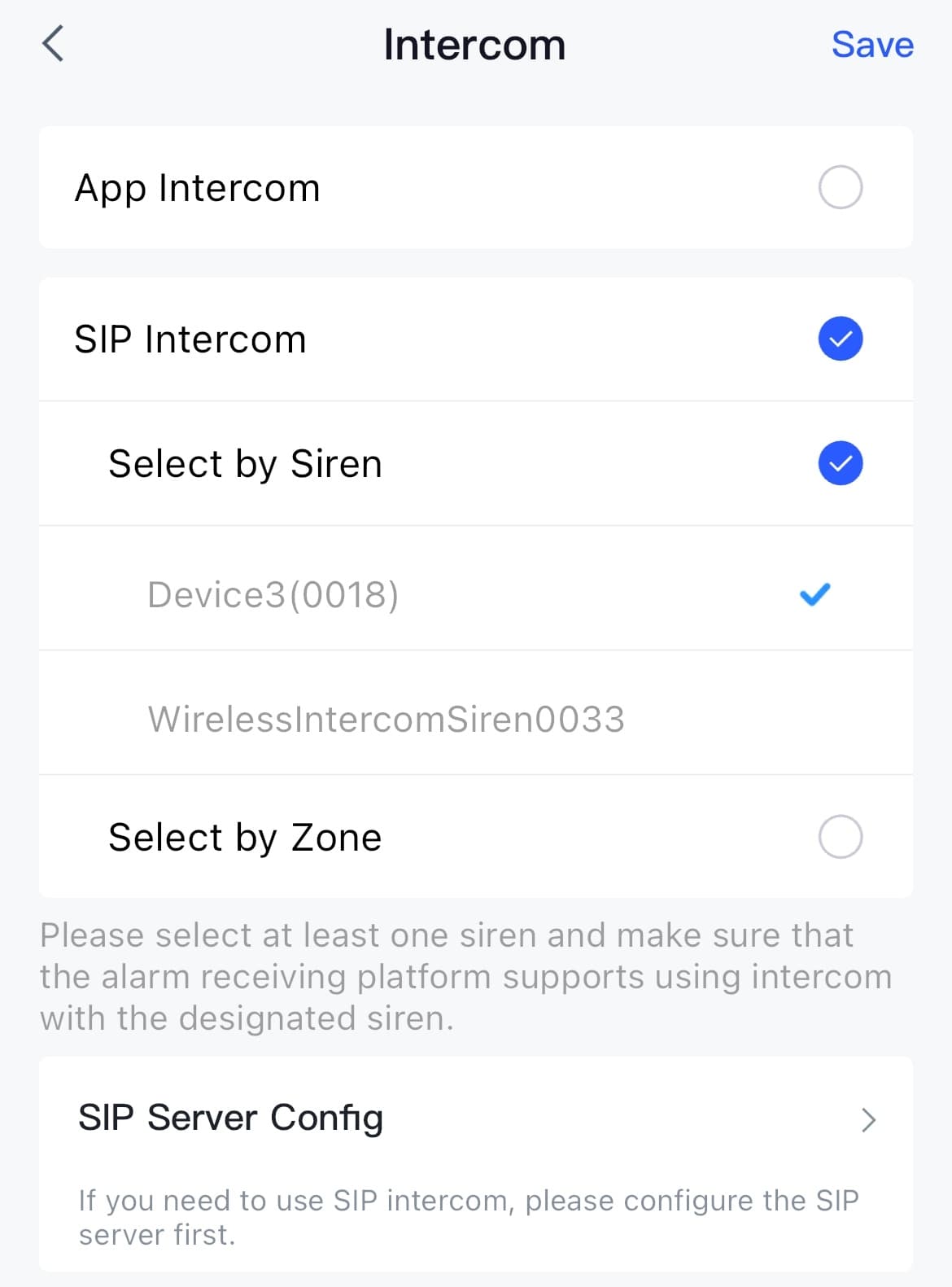
Table 1 Introduction of SIP intercom parameters
Mode Parameter Description Select by Siren Siren Select the intercom siren from the drop down list. Select an intercom siren added to the alarm hub for intercom purposes, then you can talk through the intercom siren when alarms are triggered. Select by Siren SIP Server Config Enter the SIP server username and password. Keep the same as the server side. Enter the server IP address and port number. Enter the local port number. The registration status is returned by the device and is unmodifiable. Select by Zone Room Name Select an intercom siren linking to the room. Select by Zone Siren Select the intercom siren from the drop down list. Select by Zone SIP Server Config The configuration is the same as Select by Siren.
-
-
Click OK.